> ## Documentation Index
> Fetch the complete documentation index at: https://docs.portir.xyz/llms.txt
> Use this file to discover all available pages before exploring further.
# Run your own agent
> Keep every key yourself: your Claude schedules, Portir checks, your Agentic Wallet trades.
Managed plans use the Portir agent as executor. If you prefer full self-custody, let your own Claude run the schedule and trade from **your own Binance Agentic Wallet**. Portir gives it the fair-price check, news and quotes; it never touches your money.
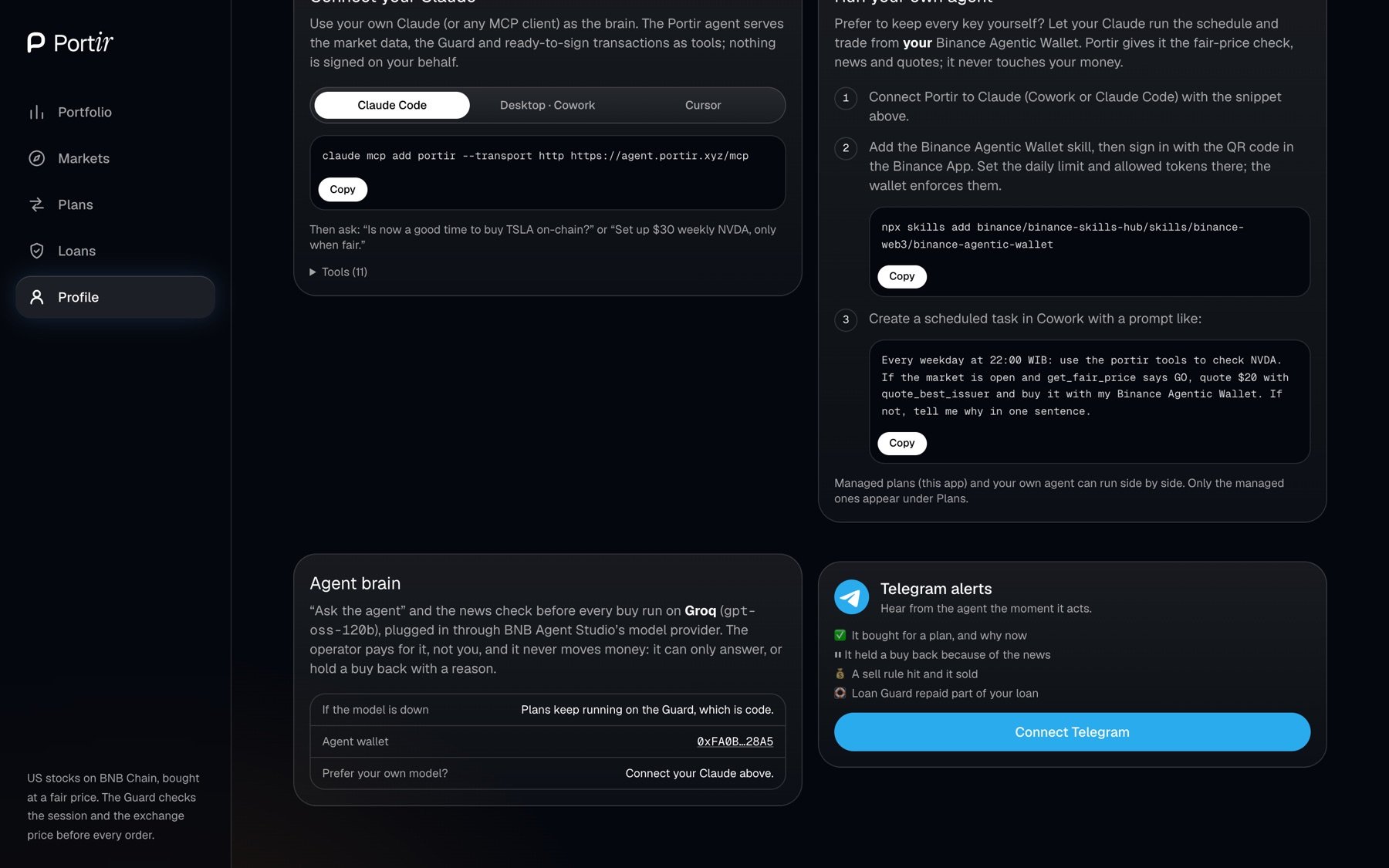 In Cowork or Claude Code:
```bash theme={null}
claude mcp add portir --transport http https://agent.portir.xyz/mcp
```
```bash theme={null}
npx skills add binance/binance-skills-hub/skills/binance-web3/binance-agentic-wallet
```
Sign in with the QR code in the Binance App. Set the daily limit and allowed tokens there; the wallet enforces them.
In Cowork, schedule a prompt such as: *"Every Monday, ask Portir whether NVDA is fair. If GO, buy \$30 of NVDAB with USDT from my Agentic Wallet and tell me why."*
Managed plans (this app) and your own agent can run side by side. Only managed plans appear under Plans.
This documentation is built and hosted on [Mintlify](https://mintlify.com), a developer documentation platform.
In Cowork or Claude Code:
```bash theme={null}
claude mcp add portir --transport http https://agent.portir.xyz/mcp
```
```bash theme={null}
npx skills add binance/binance-skills-hub/skills/binance-web3/binance-agentic-wallet
```
Sign in with the QR code in the Binance App. Set the daily limit and allowed tokens there; the wallet enforces them.
In Cowork, schedule a prompt such as: *"Every Monday, ask Portir whether NVDA is fair. If GO, buy \$30 of NVDAB with USDT from my Agentic Wallet and tell me why."*
Managed plans (this app) and your own agent can run side by side. Only managed plans appear under Plans.
This documentation is built and hosted on [Mintlify](https://mintlify.com), a developer documentation platform.