> ## Documentation Index
> Fetch the complete documentation index at: https://docs.portir.xyz/llms.txt
> Use this file to discover all available pages before exploring further.
# Borrow with Loan Guard
> Buy, supply, borrow and protect in one batch.
Pick a stock Venus accepts as collateral: NVIDIA, Tesla, SpaceX or SK Hynix.
The slider sets the borrow as a share of your borrow limit (10% to 90%).
Keep **Protect** on. Set the cap per rescue (default 200 USDT) and the safety buffer.
One batch: buy the stock through the Guard → supply as collateral → borrow USDT → set the guard → approve the buffer. On testnet it includes 10,000 free tUSDT if you need it.
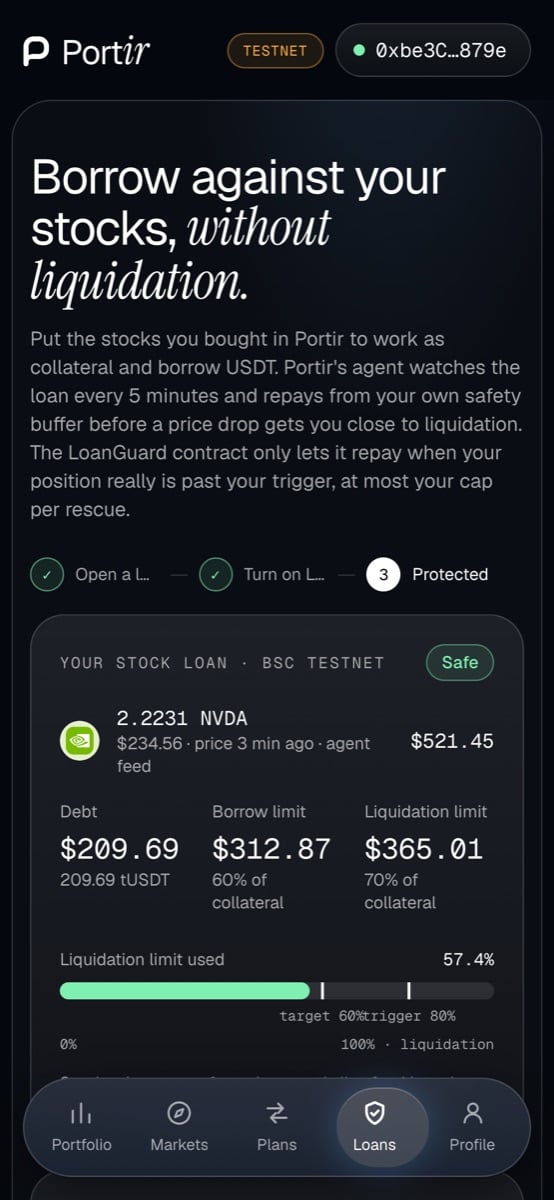
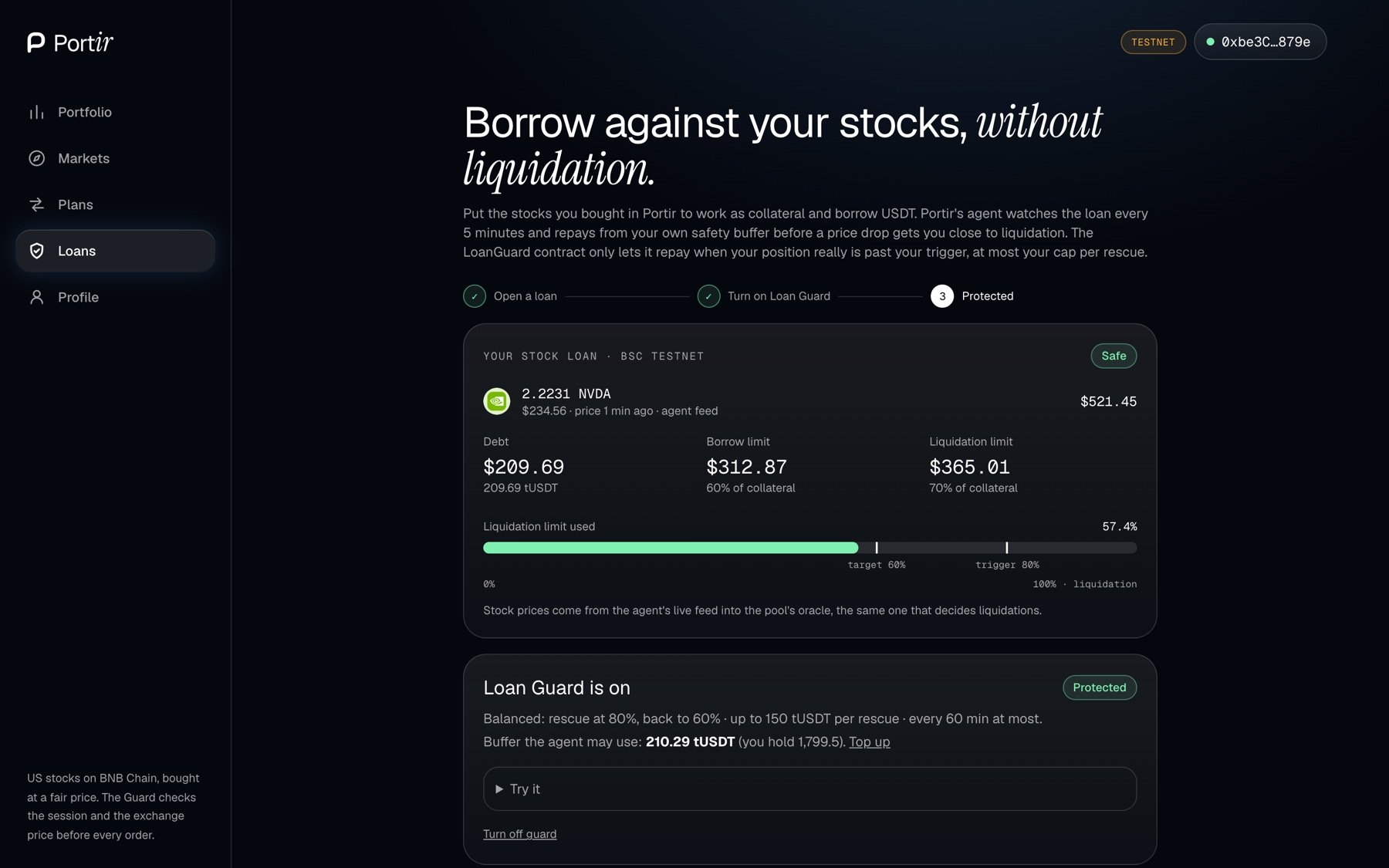
The Loans page then shows your used limit, the guard's trigger and target, and every rescue the agent made. Cancel the guard or revoke the buffer at any time.
 Loan Guard reduces liquidation risk; it does not remove it. See [Risks](/learn/risks).
This documentation is built and hosted on [Mintlify](https://mintlify.com), a developer documentation platform.
Loan Guard reduces liquidation risk; it does not remove it. See [Risks](/learn/risks).
This documentation is built and hosted on [Mintlify](https://mintlify.com), a developer documentation platform.